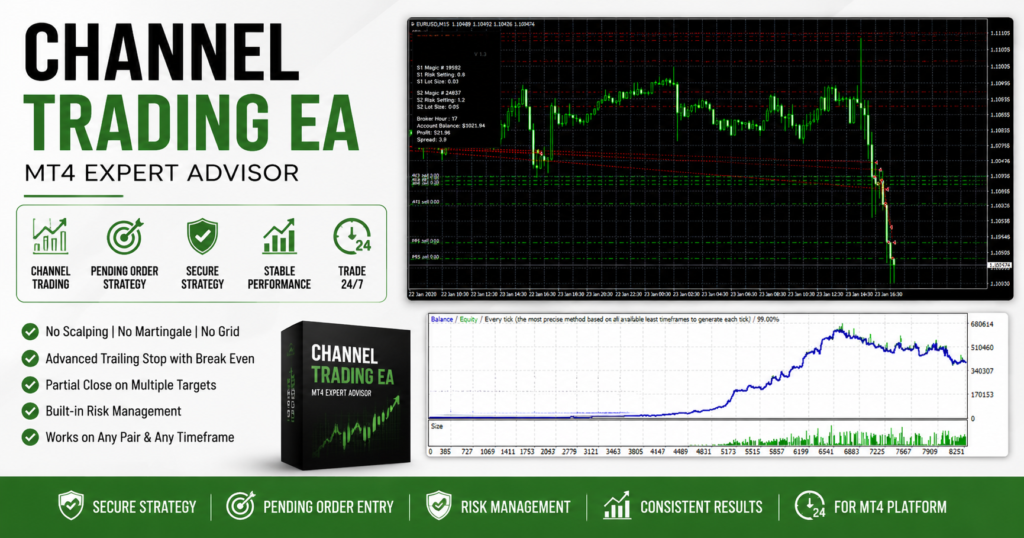
The Channel Trading EA MT4 is an automated Expert Advisor designed to trade price movements within well-defined market channels. Instead of relying on risky grid systems, aggressive martingale strategies, or high-frequency scalping, this EA focuses on disciplined entries using pending orders and structured trade management.
The Expert Advisor is suitable for traders who prefer a more controlled trading approach with advanced exit management and flexible risk settings. It opens trades only after candle confirmation, helping reduce unnecessary entries caused by short-term market fluctuations.
Why Use a Channel Trading EA?
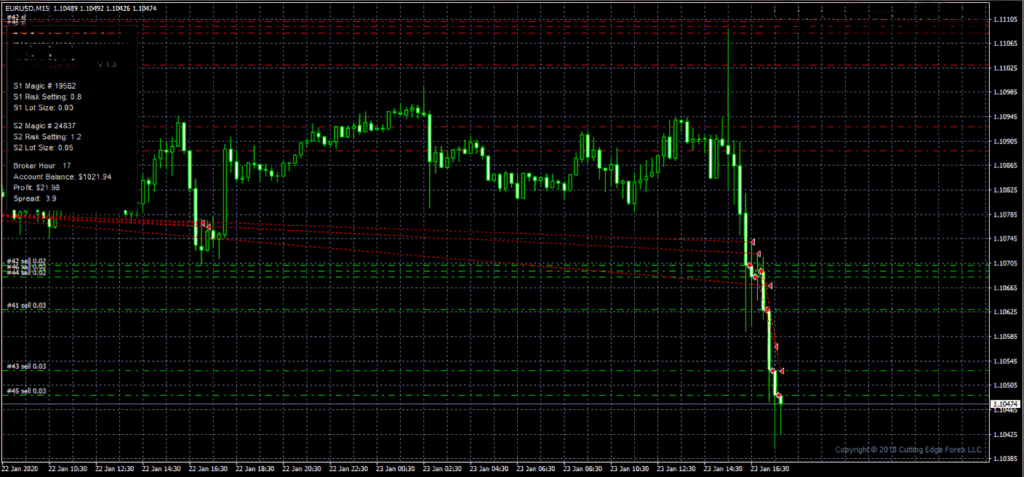
Markets often spend long periods moving inside channels before strong breakouts occur.
This Expert Advisor attempts to take advantage of these price movements by placing pending orders around important trading zones while using built-in money management to protect capital.
Instead of chasing price, the EA waits for trading opportunities to develop before entering the market.
Expert Advisor Features
- Fully Automated Trading
- MetaTrader 4 Compatible
- Pending Order Trading
- Channel-Based Entry Logic
- Advanced Trailing Stop
- Break Even Protection
- Partial Profit Closing
- Automatic Money Management
- Custom Trading Hours
- Easy Installation
EA Specifications
| Feature | Details |
|---|---|
| Platform | MetaTrader 4 (MT4) |
| EA Version | 1.3 |
| Market | Forex |
| Recommended Pairs | EURAUD, EURUSD, USDJPY, XAUUSD |
| Recommended Timeframe | M15 |
| Trading Sessions | 24 Hours |
| Trading Style | Channel Trading |
How the Expert Advisor Works
The exact internal trading algorithm is not publicly available.
However, based on trading behavior, the Expert Advisor appears to identify potential trading opportunities near channel boundaries or important support and resistance areas.
Instead of opening trades immediately, pending orders are used to improve entry quality and reduce the impact of temporary market noise.
For better performance, traders should always test the EA under their own broker’s trading conditions before using it on a live account.
Risk Management
Risk management is one of the strongest parts of this Expert Advisor.
The EA includes several automated protection features designed to improve position management.
Automatic Money Management
Trading volume can be adjusted automatically according to the selected account risk level.
Virtual Stop Loss
The EA supports virtual stop loss management, helping hide stop loss levels from the broker until required.
Virtual Take Profit
Profit targets can also be managed internally depending on the selected settings.
Break Even
Once a trade reaches a predefined profit level, the stop loss can automatically move to the entry price.
Partial Profit Close
The EA allows part of the position to be closed while leaving the remaining trade open to capture larger market moves.
Advanced Trailing Stop
The trailing stop follows profitable trades while protecting accumulated gains.
Recommended Trading Setup
Suggested Currency Pairs
- EURAUD
- EURUSD
- USDJPY
- XAUUSD
Recommended Timeframe
- M15
These settings provide a good starting point, although traders should perform their own optimization before trading live.
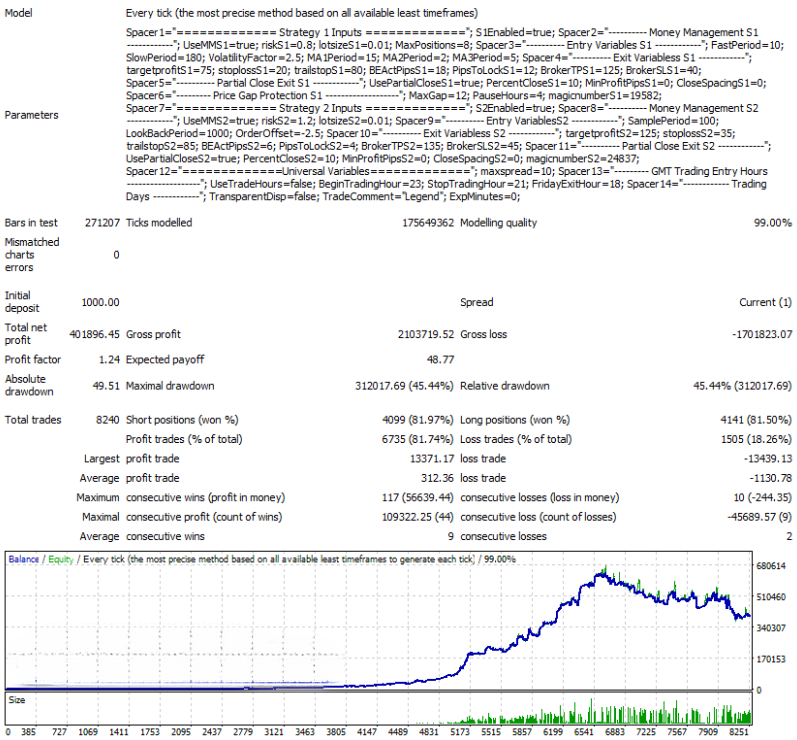
Backtesting
Historical testing can help traders understand how the Expert Advisor behaves under different market conditions.
During long-term testing, traders should evaluate:
- Profit consistency
- Drawdown levels
- Risk management
- Trade frequency
- Performance across different currency pairs
Expert Advisor Settings
The Expert Advisor provides multiple configuration options, allowing traders to customize trading behavior according to their preferred risk profile.
Main settings include:
- Risk Percentage
- Money Management
- Virtual Stop Loss
- Virtual Take Profit
- Break Even
- Trailing Stop
- Trading Schedule
- Pending Order Settings
- Partial Close
- Position Management
Insert Settings Screenshot Here
Advantages
- No Scalping Strategy
- No Grid Trading
- No Martingale Required
- Advanced Money Management
- Pending Order Entries
- Partial Profit Management
- Automatic Break Even
- Flexible Trading Hours
- MT4 Compatible
Frequently Asked Questions
Which timeframe works best?
The M15 timeframe is generally recommended because it offers a good balance between trading frequency and signal quality.
Which currency pairs are supported?
The EA can run on multiple Forex pairs, although EURAUD, EURUSD, USDJPY, and XAUUSD are commonly recommended.
Can beginners use this EA?
Yes. The EA is simple to install, but traders should always test it on a demo account before using it on a live trading account.
Does this Expert Advisor guarantee profits?
No. Financial markets are constantly changing, and no automated trading system can guarantee profitable results. Always combine automated trading with sensible risk management.
Final Thoughts
The Channel Trading EA MT4 offers a disciplined approach to automated Forex trading by combining pending order entries, intelligent trade management, and built-in risk control features. Instead of relying on high-risk trading techniques, it focuses on structured entries and flexible position management that can be adapted to different market conditions.
Before using the Expert Advisor on a live account, perform comprehensive backtesting, optimize the settings for your broker, and ensure the selected risk level matches your overall trading plan.
Channel Trading EA MT4 Download